Unblur Image is an online tool designed to remove blur and sharpen photos, offering free access without requiring sign-up. Below are 23 image editing apps with similar functionality to Unblur Image, matched by what each product actually does — not ranked or scored. Explore each to find the closest fit for your use case.
Unblur Image is a web-based tool that leverages AI to restore sharpness and detail to blurry photos. Users can upload images and receive enhanced results in seconds, making it accessible for both professional photographers and everyday users seeking to improve their pictures.
UnblurImage is a free web-based tool that leverages AI to restore clarity to blurry photos. Users can upload images directly in their browser and receive enhanced, sharper versions instantly, with no registration required. It is ideal for photographers and anyone needing to fix unclear images quickly.
Unblur Image By AI is an online tool designed to transform blurry photos into clear, sharp images using artificial intelligence. It addresses the common problem of blurred photos by providing instant enhancement without requiring complex software or editing skills. The platform is accessible directly through a web interface, allowing users to upload images in formats such as JPG, JPEG, PNG, and WEBP, with a maximum file size of 10 MB. The tool offers specialized features for various types of images, including portraits, product photos, pet images, group photos, and marketing materials. For portraits, it improves facial features while preserving natural skin tones and expressions. When used on product photos, it creates sharp, professional-quality images suitable for e-commerce and marketing purposes. The service also caters to pet photos, capturing fine details like fur and whiskers, and can enhance group photos by restoring clarity to faces, clothing, and backgrounds. Additionally, it supports the enhancement of images for avatars and social media profiles, making them more attractive and professional for platforms such as Instagram and LinkedIn. The tool is positioned as useful for marketers, designers, business owners, influencers, photographers, and anyone seeking to restore or improve image quality. Unblur Image By AI operates entirely online, requiring no downloads or installations. It is promoted as a free service, enabling users to enhance their photos with a single click and receive results in seconds. The platform emphasizes ease of use, with no complex steps involved, and does not require expensive software. Alongside its unblurring capabilities, Uluch also offers a PNG Maker tool for creating transparent PNG images with background removal. The service highlights its appeal to a broad audience, including professionals and casual users, and addresses use cases such as restoring old family photographs, improving images for marketing campaigns, and enhancing personal or business visuals. The platform assures users of professional results and instant processing, positioning itself as a practical solution for anyone needing to fix blurry images quickly and effectively.
Enhance Image is an AI-powered web application that allows users to improve image quality, sharpen details, reduce blur, and restore old photos. It offers a range of enhancement tools, including upscaling, background removal, and face enhancement, with both free previews and paid high-resolution downloads. Suitable for photographers, designers, and anyone needing quick image improvements.
Blur Image Online is a browser-based tool that lets users blur faces, text, backgrounds, and sensitive details in images. It offers live preview, multiple blur effects, and privacy-focused processing, making it ideal for quick, no-signup image editing.

AI Background Blur Tool enables users to instantly blur the backgrounds of PNG and JPG images with adjustable intensity, ensuring privacy and high-definition results. Ideal for professional portraits, product shots, and creative visuals, it offers a simple workflow for Windows users. The tool is suitable for photographers, social media creators, and anyone needing fast, automated background editing.
ImgEnhancer is an AI-powered web application that allows users to upscale, sharpen, and restore images to 4K or 8K resolution. It offers features like background removal, face enhancement, and watermark removal, making it ideal for creators, sellers, and teams who need high-quality visuals.

PhotoBoost is a mobile app that leverages AI to enhance, unblur, and restore photos directly from your device. It is designed for users who want to improve the quality of their images with minimal effort, making it ideal for mobile photographers and casual users.

Unblur Photo - FixPix AI is an iOS app that uses AI to unblur, enhance, restore, and animate photos. It offers tools for upscaling, object removal, scratch repair, and colorization, making it ideal for users looking to improve or repair their images quickly and easily.
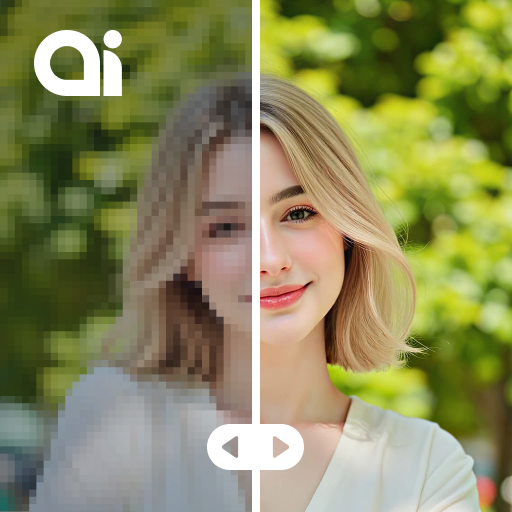
AI Photo Enhancer: Gen Art uses AI to sharpen blurry photos and boost image quality instantly. It is designed for mobile users who want to enhance their photos with minimal effort, offering features like upscaling and noise reduction.
Unwatermark AI is a web-based tool that uses artificial intelligence to remove watermarks, logos, text, and unwanted objects from images and videos. It offers batch processing, high-quality output, and an API for integration, serving content creators and businesses needing clean visuals.
BlurMe is a browser-based tool that uses AI to automatically detect and blur faces in both photos and videos. Users can upload files, select which faces to keep visible, and customize blur zones for privacy and compliance. The platform supports bulk processing and offers both free and paid plans, making it suitable for creators, marketers, and enterprises needing to anonymize visual content.

AI Image Background Remover is a web-based tool that uses artificial intelligence to automatically remove backgrounds from images. It supports various image formats, provides smooth edge detection, and allows users to process multiple images efficiently, making it ideal for designers and marketers.

AI Photo Enhancer - PixLift is a mobile app that uses AI to enhance, unblur, and upscale photos. It offers features like cartoon effects and AI aging, catering to users who want to improve or creatively transform their images on mobile devices.

Background Blur by Magic Studio is a free, AI-powered web tool that allows users to blur the backgrounds of their photos for a professional appearance. It features automatic subject selection, adjustable blur levels, and supports multiple image formats, making it accessible for both casual users and professionals.

Imagecleanupai is an online tool designed to remove text from images using a combination of AI detection and manual refinement. It addresses the need for quick, natural-looking removal of text elements such as captions, watermarks, subtitles, date stamps, and overlays from a variety of image types, including product photos, screenshots, banners, and marketing assets. The platform is intended for creators, ecommerce teams, marketers, students, and anyone needing to clean up images for publication or presentation without damaging the original background details. The tool operates through a browser-based workflow that does not require installation. Users can upload images in formats such as JPG, PNG, and WEBP, or use screenshots. Upon upload, the editor automatically detects text regions and prepares a mask for cleanup, allowing users to review and adjust the selection for greater precision. The AI engine reconstructs the removed area by rebuilding nearby color, texture, and lighting, rather than simply blurring or smearing the region, which helps preserve shadows, gradients, skin texture, product surfaces, and other fine details. Manual controls are available for refining the mask, ensuring that even small letters, drop shadows, and semi-transparent overlays can be removed without leaving visible artifacts. Imagecleanupai emphasizes a balance between automated AI speed and manual control, enabling users to achieve believable results efficiently. The service provides a before-and-after comparison feature, allowing users to assess the quality of the cleanup before exporting the edited image. The platform is positioned as a practical solution for real-world design tasks, such as preparing images for pitch decks, documentation, or updating older creative assets, and is suitable for scenarios where maintaining the integrity of the original background is essential. The tool is accessible online and offers free text removal capabilities, allowing users to validate the quality of the results before committing to larger editing tasks. It is part of a broader class of AI-powered image editing tools focused specifically on text removal and cleanup.
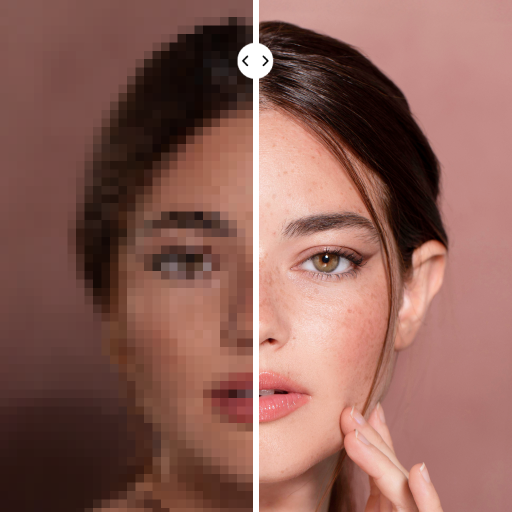
PhotoApp - AI Photo Enhancer is an app that uses AI to improve photo quality, restore old images, and unblur pictures. It provides tools for color correction and batch processing, making it ideal for users wanting to enhance and preserve their photo memories.
AI Image Enhancer is a Windows desktop application that uses AI technology to enhance, upscale, and restore photos. It supports various image types, offers face restoration, and provides a simple interface for photographers and digital artists seeking to improve image quality and resolution.
Removebackground App is an online tool that uses AI to remove backgrounds from images and videos automatically. Users can upload files and receive high-resolution, background-free results in seconds. The app is ideal for content creators, e-commerce sellers, and designers needing fast, accurate background removal.
Change BG Tool Online is a web-based application that uses AI to remove backgrounds from images instantly. It supports multiple image formats including PNG, JPEG, and WEBP, making it ideal for content creators and designers who need quick, clean cutouts for their projects. The tool is free to use and requires no installation.
Photiu.ai is an online platform offering AI-powered image editing tools, including background removal, upscaling, and object erasing. Users can also generate images and videos from prompts. The service is designed for creators and individuals seeking fast, high-quality photo edits without complex software.

Artedge AI is a web-based photo enhancement tool that uses AI to upscale images to 4K, remove noise, fix blur, and improve overall image quality. It supports multiple languages and offers features like face and logo enhancement, catering to photographers and content creators seeking quick, high-quality results.

Image Upscaler AI is a web-based tool that leverages artificial intelligence to upscale and enhance images, photos, and graphics. Users can upload images for quick, high-quality upscaling, with support for multiple languages and an API for integration. It is suitable for designers, photographers, and anyone needing improved image resolution.
