Ultimate Photo Editor is a Windows app that provides a comprehensive set of photo editing tools, including creative filters, doodle and text overlays, and enhancement adjustments. Below are 35 image editing apps with similar functionality to Ultimate Photo Editor, matched by what each product actually does — not ranked or scored. Explore each to find the closest fit for your use case.
Photo Editor- is a Windows application offering a complete set of photo editing tools, including auto enhancement, filters, background eraser, and creative overlays. It is ideal for social media users and anyone looking to quickly improve and personalize their images.
Photo Editor-Photo Studio is a Windows application that provides a comprehensive suite of tools for editing photos and videos. Users can apply filters, frames, stickers, and text, as well as create collages and edit profile pictures. The app is suitable for casual users and content creators looking for an easy-to-use editing solution.
Photo Editor for Win is a user-friendly Windows application that enables users to enhance, edit, and share their photos. It offers a wide range of adjustment tools, filters, and effects, making it suitable for both beginners and experienced photographers.
Pics Photo Editor is a Windows application offering a range of image editing tools, including filters, overlays, text, and stickers. Users can crop, adjust, and enhance photos for social media or personal use. The app is designed for ease of use and creative customization.

FotoJet Photo Editor is a Windows application that allows users to edit photos with filters, overlays, frames, and text. It provides a range of editing tools suitable for both novices and professionals, making photo enhancement simple and accessible.
Photo Editor Express - Filters & Effects is a Windows desktop app that provides a comprehensive toolkit for editing photos. Users can apply filters, adjust colors, add text and stickers, and prepare images for social media platforms, making it suitable for both beginners and experienced editors.
inPixio Photo Editor is a Windows application designed for quick and easy photo enhancement. It offers one-click image correction, creative tools like text and stickers, color effects, and LUT support. The app is suitable for users who want professional-looking photos without complex software.

Fotogenic is a user-friendly photo editing application offering a range of creative tools, including text effects, speech bubbles, and stretch features. It provides interactive tutorials, making it accessible for both beginners and experienced photographers.
Photo Frame Editor Collage is a Windows app for creating stylish photo collages and editing images. It offers features like filters, frames, stickers, and draft saving, making it ideal for users who want to personalize and share their photos.
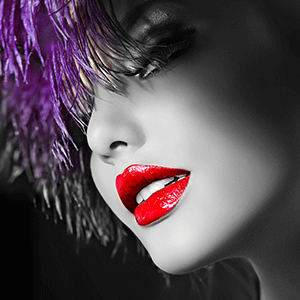
Photo Splash Editor is a Windows application that allows users to transform photos with selective color splash, blending, filters, and artistic effects. It is ideal for amateur photographers and creative users seeking easy-to-use editing tools.
FastPixel Photo Editor Studio is a Windows desktop application that enables users to edit and enhance photos with a variety of filters, adjustments, and creative tools. It offers features such as cropping, resizing, brightness and contrast control, and text or shape overlays. The app is suitable for photography enthusiasts looking to transform their images with ease.

Photo Editor Pro - Image Tool is a Windows application that enables users to edit photos with a wide range of filters, effects, and collage options. It includes tools for drawing, adding text, and creating cartoon faces, making it ideal for casual photographers and social media enthusiasts.

Photo Studio - Photo Editor is a Windows application offering a comprehensive suite of photo editing tools. Users can apply filters, add text and artwork, use overlays, create collages, and enhance images with various effects. The app is designed for anyone looking to edit photos easily on their desktop.
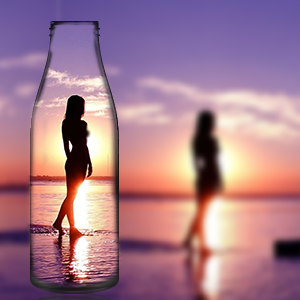
Photo Editor Pro - PIP Camera Effects is a Windows application that lets users create unique pic-in-pic photos using a variety of frames, stickers, filters, and backgrounds. It is ideal for social media users and selfie enthusiasts seeking creative editing tools.
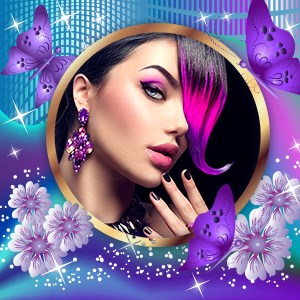
Photo Frame Editor & Poster Maker is a Windows app that enables users to turn their photos into creative masterpieces with a variety of frames, collage layouts, and poster templates. It offers tools for adding stickers, text, filters, and overlays, making it ideal for casual users looking to personalize their images.
Photo Editor by BeFunky is a desktop application that offers AI-powered photo editing, collage creation, and graphic design features. It includes one-click enhancements, background removal, and artistic effects, making creative editing accessible to all users.
Photo Editor Studio Pro is a Windows desktop application for editing photos, offering features like cropping, filters, annotations, frames, and redaction. It integrates with Unsplash for image sourcing and provides tools for both beginners and professionals to enhance and personalize their photos.
Photo Editor – Pinnacle is a desktop application for Windows that enables users to crop, adjust, filter, and customize their photos with a variety of editing tools. It is suitable for photographers, social media creators, and anyone seeking polished images.
Fotor - Photo Editor & Design is a free Windows application offering a wide range of photo editing tools, filters, effects, and design templates. It supports quick enhancements, object removal, and professional retouching, catering to both amateur and professional photographers.

Aesthetic Photo Editor with Stories is a Windows app that provides users with advanced photo editing tools, preset effects, and features for creating stories. It is designed for users who want to enhance their photos and share creative content on social media platforms.
Quick Photo Editor provides users with easy-to-use tools for editing and enhancing photos. Features include cropping, applying filters, adjusting colors, and smoothing imperfections, making it ideal for casual photographers and social media enthusiasts seeking quick results.

Photo Editor Lab is a desktop photo editing application offering a suite of creative tools, including live filters, smart cropping, text and sticker overlays, background removal, and image blending. It is designed for both casual users and serious creators seeking fast, high-quality photo edits.
Sweet Filters Foto Editor is a Windows app that allows users to edit photos with a variety of filters, effects, cropping, and adjustment tools. It is designed for quick and easy photo enhancement, suitable for social media sharing and personal use.
Pix Editor: AI Photo Maker is a Windows app that uses AI to help users remove backgrounds, erase objects, and apply creative effects to photos. It offers features like face editing, hair style try-on, and art generation from text, making photo editing accessible and fun.
Collage Maker Scrapbook is a Windows app that enables users to create customized photo collages and edit images with a variety of effects, frames, stickers, and text options. It is designed for users who want to enhance and share their photos creatively.
Photo Lab Photo Editor is a Windows app that provides a range of creative tools for photo enhancement, including filters, mosaic effects, frames, and drawing tools. It is designed for casual users who want to quickly improve and personalize their photos with minimal effort.
Artisan Studio is a Windows photo editing app featuring AI-powered background removal, magic brushes, layers, and over 50 filters. It is designed for creators and social media users to transform photos into artistic images quickly and easily.
Photo Grid - Photo Collage is a Windows app that enables users to design photo collages, edit images, and apply filters, overlays, and stickers. It supports multiple export formats and is ideal for creating social media content and personalized photo projects.
Elite Photo Editor Pro is a Windows application that provides a range of tools for editing, enhancing, and retouching photos. It features color adjustments, special effects, and an intuitive interface, making it suitable for both professional photographers and hobbyists seeking creative control over their images.

Snappy Photo Filters and Stickers for Chat is a desktop photo editing app that lets users add creative filters, stickers, cartoon effects, and text overlays to their images. It is designed for quick, fun edits and easy sharing on social media and chat platforms.
Pic Collage Maker & Photo Editor is a Windows application that allows users to create photo collages, apply filters, add stickers, and design creative layouts. It offers grid and freestyle modes, PIP frames, and various editing tools for personal and social media use.
Photo Editor Pro - Presets & Photo Lab is a Windows app that provides users with a suite of creative photo editing tools, including AI background removal, filters, overlays, and decorative effects. It is designed for easy enhancement and transformation of images for social media and personal projects.
SuperSimple Photo Editor is a Windows application that provides intuitive offline photo editing tools. Users can adjust brightness, contrast, and saturation, apply filters, rotate images, and save or share their creations. Designed for users seeking a straightforward, privacy-focused photo editor.
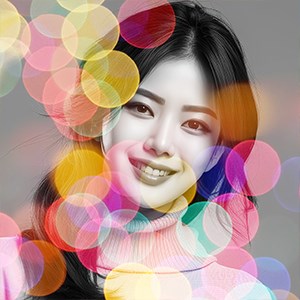
Bokeh Effects Picture Editor is a free Windows application that enables users to apply bokeh, cartoon, and artistic effects to their photos. It offers a range of editing tools, including filters, stickers, text, and export options, making it suitable for social media content creation and personal photo enhancement.
Photo to PDF - Photo Editor & Image Converter is a free Windows application that allows users to edit images, adjust settings, add effects, and convert images to multiple formats including PDF, JPG, PNG, and more. It supports batch processing and is suitable for users needing flexible image conversion and editing.
