Swift Menu Duplicator is a WordPress plugin that enables users to duplicate navigation menus in one click, manage all menus from a dedicated admin page, and export or import menus as JSON. Below are 8 other dev tools apps with similar functionality to Swift Menu Duplicator, matched by what each product actually does — not ranked or scored. Explore each to find the closest fit for your use case.
CC Duplicate Menu is a WordPress plugin that adds a Duplicate Menu button to the menu editor, allowing users to create full copies of existing navigation menus. It preserves menu structure and enables independent editing for efficient site management.
MenuItem Copy & Paste is a free WordPress plugin that enhances the menu editor with copy, paste, clone, delete, and export/import capabilities. It streamlines menu management for site owners, especially those handling large or complex menu structures.

MenuPilot is a WordPress plugin that enables users to safely import and export navigation menus with a preview-first workflow. It allows reviewing and mapping menu items before importing, preventing accidental overwrites and broken links. Ideal for developers and site admins managing multiple WordPress environments.
Menu Backup & Restore + Import/Export is a free WordPress plugin that automatically backs up menus, enables one-click restoration, and allows import/export of menus between sites. It is designed for WordPress administrators who need to protect and transfer navigation menus efficiently.
Import Export Menu is a WordPress plugin that allows users to import, export, and manage navigation menus between different WordPress sites. It preserves menu hierarchy, theme locations, and item settings, streamlining site migration and menu management for administrators.

WP Duplicate is a WordPress plugin designed to make site migration and cloning straightforward. It allows users to transfer sites between hosts with minimal effort, supporting incremental cloning and direct media file handling. Ideal for developers and site admins managing multiple WordPress installations.
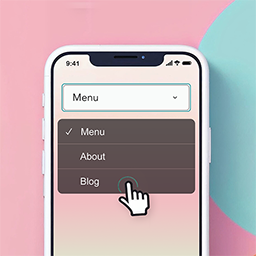
Responsive Mobile Select Menu is a WordPress plugin that automatically transforms your site's menu into a touch-friendly dropdown on mobile devices. It requires no theme modifications and offers customizable breakpoints and accessibility features.

DynoMenu is a WordPress plugin designed to simplify the creation and management of dynamic, responsive navigation menus. It addresses the challenge of keeping site menus current as content grows, offering automatic menu generation from WordPress categories, posts, taxonomies, and WooCommerce product categories. The tool enables users to build menus that update themselves in real time, eliminating the need for manual updates when new content is added. The plugin features a visual builder with drag-and-drop controls, live preview across devices, and a range of styling options that require no coding skills. Users can customize typography, colors, spacing, borders, and hover effects directly from the settings panel. DynoMenu also supports conditional display rules, allowing menu items to be shown or hidden based on user roles, page context, or custom conditions. Shortcodes make it possible to place menus anywhere on a site, including in sidebars, pages, and templates, and the plugin is compatible with popular page builders such as Elementor, Divi, Beaver Builder, and WPBakery. Additional capabilities include responsive hamburger menus with configurable breakpoints and overlay styling, as well as import and export tools for migrating menus between sites. Users can quickly hide specific menu items and benefit from the tool’s integration with WooCommerce, which allows for instant menu generation from product categories and taxonomies. DynoMenu is suitable for a wide range of WordPress sites, including eCommerce stores, content-heavy blogs, agency client sites, and membership platforms where different menus may be needed for different user roles. DynoMenu is available in both free and paid versions. The free plan supports a single menu with limited customization, shortcode support, live preview, responsive menus, export/import functionality, and conditional display logic for one site. The Pro version, offered at multiple price points depending on the number of sites, unlocks unlimited menus and groups, advanced styling, additional display rules, custom menu icons, and priority support. DynoMenu is developed by Seal Digital, operating under the Entrepreneurship Development Foundation “TwójStartUp” in Poland.
