STL 3D Viewer Pro is a Windows application for viewing and manipulating STL files, commonly used in 3D printing and CAD design. Below are 12 3d, motion & animation apps with similar functionality to STL 3D Viewer Pro, matched by what each product actually does — not ranked or scored. Explore each to find the closest fit for your use case.

Afanche 3D STL Viewer Pro is a desktop application for viewing, measuring, and exporting 3D STL files. It supports both ASCII and binary STL formats, offers measurement tools, and allows users to compare multiple models. Designed for 3D professionals and hobbyists.
3d model viewer. is a Windows desktop application that enables users to open, view, and analyze 3D models in formats like OBJ, GLTF, STL, and more. It offers real-time navigation, multiple display modes, and tools for inspecting model details, catering to designers and engineers.

3D Model Viewer is a desktop application that supports viewing and analyzing a wide range of 3D file formats, including STL, 3DS, DXF, OBJ, and more. It offers features like model rotation, zoom, panning, and file export, making it useful for designers and engineers who need to inspect 3D assets on the go.
3DM Viewer for Windows is a desktop app that allows users to open and view 3D models in formats like 3DM, OBJ, STL, and FBX. It offers intuitive navigation and is ideal for designers, engineers, and 3D enthusiasts who need to inspect and collaborate on 3D projects.
3D STEP Viewer is a Windows application that allows users to open, view, and compare 3D models in STEP (.stp, .step) and IGES formats. It supports large files, multiple viewing modes, and is designed for professionals needing to review and collaborate on 3D assets.
CAD 3D Model Viewer is a Windows application for loading, visualizing, and interacting with 3D models in formats like OBJ, STL, STEP, and IGES. It offers measurement tools, customizable wireframes, and responsive design, making it suitable for engineers, designers, and anyone working with 3D CAD files.

3DM Viewer is a Windows application for viewing and exporting Rhinoceros 3D models. It supports fast rendering, batch export to formats like DXF and 3DS, and offers an intuitive interface for 3D designers and engineers.

fstl is a desktop application for fast and easy viewing of STL 3D model files. It offers enhanced rendering and a user-friendly interface, making it ideal for designers and engineers working with 3D models.

3DS Viewer 3D is a Windows application designed for viewing and interacting with 3DS model files, a popular format in 3D graphics and animation. It supports touch and mouse controls, various rendering modes, and displays model information, making it useful for 3D artists and users who need to inspect 3DS files.
MeMa 3D Modeling Software is a desktop application for viewing and editing STL files. It provides intuitive controls for rotating, scaling, and selecting mesh components, making it suitable for hobbyists and professionals working with 3D models. The app is designed for users who need a straightforward tool for 3D file manipulation.
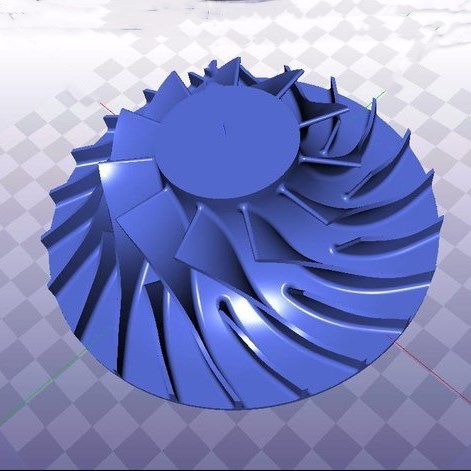
Blue3D Model Viewer is a Windows application that enables users to open and view 3D model files in formats such as OBJ, STL, OFF, and 3DS. It provides tools for inspecting model details and integrates with browsers for direct file opening, making it useful for 3D designers and hobbyists.

Stelt Viewer allows users to open and run .stelt files, providing access to a variety of interactive educational content. It is designed for students and educators who need a mobile solution for viewing specialized learning materials. The app supports offline access and interactive features.
