Sketch Touch is a Windows sketching and painting app featuring an infinite canvas, vector-based scaling, and online collaborative painting. Below are 27 design & creative apps with similar functionality to Sketch Touch, matched by what each product actually does — not ranked or scored. Explore each to find the closest fit for your use case.
Sketch Board is a digital sketching and drawing application featuring an infinite canvas, vector-based scaling, and a variety of brushes and annotation tools. It supports image and video integration, making it suitable for artists and designers seeking a versatile creative workspace.
My Sketchbook is a Windows app that teaches users how to draw with step-by-step tutorials and intuitive tools. It features AI-powered photo-to-sketch conversion, a variety of brushes, and coloring pages, making it suitable for beginners and hobbyists.
Pocket Sketchbook is a Windows drawing application that offers AI-generated sketching, a wide range of brushes, customizable canvases, and layer support. It is designed for artists and hobbyists seeking creative digital drawing tools.
Art Draw is a digital illustration app for Windows, offering a variety of brushes, layers, and export options. It is designed for artists and illustrators seeking a powerful yet intuitive tool for creating digital artwork.
Sketchbook Illustration is a Windows app for digital drawing and illustration, offering realistic brushes, advanced layer control, symmetry tools, and AI-powered features like sketch generation and animation. It caters to artists and illustrators seeking a versatile digital art platform.
Digital Sketchbook is a feature-rich digital painting and image editing application for Windows. It offers customizable canvas sizes, multiple brush types, advanced layer management, and a variety of editing tools, making it suitable for artists and illustrators seeking a professional creative environment.
Sketchbook Painter is a Windows app that provides step-by-step drawing lessons, a variety of digital painting tools, and AI-assisted drawing features. It caters to both beginners and hobbyists looking to improve their artistic skills.
Drawing Paint is a Windows application that provides users with intuitive drawing tools, shape creation, text annotations, and image editing features. It supports color customization, image import, and undo/redo, making it ideal for artists and hobbyists seeking a versatile drawing app.
Draw & Sketch Pad provides users with a simple yet powerful platform for digital drawing and illustration. It features versatile brushes, layer support, blending modes, and community challenges, making it suitable for both beginners and experienced artists.
Pencil Sketch Master is a Windows application that allows users to convert photos into pencil sketches, paintings, or anime-style images. It offers advanced editing tools, live camera support, and multiple export formats, catering to both beginners and professional artists.
Sketch Paint Program is a Windows application that allows users to create digital drawings and paintings using a variety of brushes, gradients, and shapes. It offers flexible canvas sizing and features for both beginners and casual artists.
Sketch whiteboard draft is a Windows application that enables users to create sketches, doodles, and storyboards. It supports shape recognition, vector zoom, and PNG export, making it ideal for designers and creative users.
Drawing & Painting App is a Windows desktop application designed for digital artists and hobbyists. It offers a wide range of brushes, pens, and tools, including layering, cloning, and retouching features. The intuitive interface makes it accessible for beginners while providing advanced options for experienced users.
Corel Painter Microsoft Store Edition is a professional digital painting software for Windows, offering hundreds of customizable brushes, AI-powered styles, and advanced art tools. It is tailored for artists and illustrators who want a robust painting experience on their desktop.
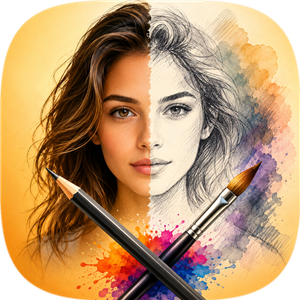
Sketch Drawing Photo Lab is a Windows app that converts photos into hand-drawn art using six different sketch styles and 25 artistic filters. Users can add stickers, text, and export their creations in various formats, all without needing an account or internet connection.

Sketchbook Studio is a drawing and painting app for iPad, offering pressure-sensitive brushes, layer management, color tools, and AR integration. It caters to artists and illustrators seeking a natural digital studio experience on mobile devices.

Trazu is a mobile painting and sketching app featuring realistic brush behavior, multiple paper textures, and a full-featured color picker. It supports photo import, offline use, and offers a premium upgrade for advanced features. Ideal for artists and hobbyists.
Sketchable Plus is a Windows app designed for digital artists, providing a comprehensive suite of drawing, painting, and image augmentation tools. Its clean interface and versatile features make it suitable for both quick sketches and detailed artwork creation.

Micapaint is a mobile drawing application designed for artists, featuring smooth brush performance, unlimited layers, PSD import/export, and timelapse recording. It provides a workspace-first UI and advanced tools for digital illustration, catering to both hobbyists and professionals.
MediBang Paint for Desktop is a digital illustration and painting application designed for both beginners and professional artists. It offers a wide range of brushes, layers, templates, and coloring materials, making it easy to create, edit, and finish digital artwork. The app provides an intuitive interface, tutorials, and professional-grade features for digital art creation.
Sketch Smart is a desktop application for Windows that provides users with tools to draw, edit, and create images on a digital canvas. It offers a simple yet powerful interface for photo and video editing, suitable for creative users and hobbyists.
ScreenDrawing is a Windows app for drawing, annotating, and highlighting directly on your screen in real time. It features a floating toolbar, undo/redo, and snapshot saving, making it useful for presentations, online meetings, and tutorials. The app is no longer updated.
Photo to Sketch App enables users to convert their photos into realistic pencil sketches using a custom stroke engine. It offers multiple styles, presets, and batch processing, making it ideal for photographers and creative users seeking artistic effects.
Concepts is a Windows app that provides a flexible, vector-based sketching environment with an infinite canvas, customizable tools, and advanced layering. It is ideal for designers, illustrators, and anyone needing a versatile digital drawing space.

Graintouch is a drawing app inspired by Risograph aesthetics, offering vector brushes, print simulation, and a minimal UI. Artists can layer colors, create textures, and export vector stencils for print, making it ideal for those seeking a print-like digital art experience.
Corel Painter Essentials is a digital painting application designed for beginners, offering a curated set of brushes, AI-powered photo-to-art conversion, and easy-to-use tools. It supports unlimited layers and provides learning resources for new artists.

ArtDesignStudio is a Windows application designed for artists and designers to edit images and create stencils. It offers a multi-layer system, background removal, pen pressure sensitivity, and offline editing, making it suitable for professional and hobbyist creators.
