PDF Reader-Mark&View&Edit is a free Windows application that allows users to view, print, edit, and annotate PDF files. Below are 35 other productivity apps with similar functionality to PDF Reader-Mark&View&Edit, matched by what each product actually does — not ranked or scored. Explore each to find the closest fit for your use case.

PDF Reader PRO is a comprehensive Windows application for viewing, editing, annotating, and managing PDF files. It supports a wide range of document formats and offers features like form filling, digital signatures, and redaction, making it suitable for professionals and students who work with PDFs.
PDF Editor Reader is a Windows application that allows users to read, edit, and annotate PDF documents. It offers features such as text modification, form filling, and graphic annotation for efficient document management.

PDF X is a comprehensive PDF tool for Windows that enables users to view, edit, annotate, merge, split, and convert PDF files. It supports form filling, digital signatures, and redaction, making it suitable for students, professionals, and anyone working with PDF documents.
PDF Edit All is a Windows application that enables users to read, edit, annotate, convert, and secure PDF files. It offers features such as form filling, digital signatures, password protection, and conversion between PDF and other formats, making it suitable for users who need a versatile PDF solution.
PDF Master Editor & Reader is a comprehensive Windows application for managing PDF documents. It offers editing, annotation, merging, splitting, digital signatures, and form completion, providing a full suite of PDF tools for personal and professional use.
PDF Editor Manager is a desktop application for managing PDF files, offering features like viewing, editing, annotating, and organizing documents. It is designed for students, professionals, and office workers who need efficient PDF management.
PDF Reader Plus is a lightweight PDF reader designed for Windows users who need a straightforward tool to open and read PDF documents. It offers essential features like document navigation, zoom, and offline access, making it suitable for work and study purposes.
PDF Reader Annotator PLUS is a Windows application that allows users to view, annotate, edit, and organize PDF files. It supports form filling, file conversion, page management, and digital signatures, making it suitable for anyone needing comprehensive PDF tools.
PDF Reader - Edit, Convert & Merge is an all-in-one PDF tool for Windows that enables users to edit, convert, read, and sign PDF documents. It offers high-speed reading, deep editing, format conversion, and annotation tools for seamless document management.
PDF Reader Pro is a Windows application that enables users to read, edit, and convert PDF files. It includes AI-powered features such as document summarization and chat with PDFs, as well as OCR and file conversion tools. The app is suitable for students, professionals, and anyone working with PDF documents.
PDF Editor Pro is a Windows application that enables users to edit, modify, and create PDF documents. It supports editing text, images, and shapes, merging PDFs, managing fonts, and setting passwords. Designed for individuals and professionals who need robust PDF editing tools on Windows.
Advanced PDF Editor is a feature-rich Windows application for reading, editing, annotating, merging, splitting, and converting PDF files. It offers robust security features and a user-friendly interface, making it suitable for both individuals and businesses managing PDF documents.
PDF Edit Max is a free all-in-one PDF editor and reader for Windows. It provides tools for reading, editing, annotating, signing, filling forms, and managing PDF pages, making it suitable for users who need comprehensive PDF management without cost.
PDF Editor: PDF Reader, PDF Viewer is a Windows application that enables users to view, edit, annotate, merge, split, and secure PDF documents. It includes AI-powered features for summarizing and chatting with documents, as well as tools for creating PDFs, adding signatures, and extracting tables. Designed for students and professionals who work extensively with PDFs.
C2W PDF Editor is a Windows application for editing, annotating, merging, and extracting content from PDF files. It offers features like form filling, annotation tools, text and image extraction, and edit history logging, making it ideal for users who need comprehensive PDF management capabilities.
Real PDF Editor PLUS is a Windows application for viewing, annotating, editing, and converting PDF files. It supports form filling, page reordering, file merging, and conversion to and from various formats, making it suitable for students and professionals managing digital documents.
ALL PDF EDIT is a Windows application that provides tools for viewing, annotating, and editing PDF files. It is designed to optimize productivity and work quality for users who manage digital documents on their PCs.
PDF Markup is a Windows application designed for annotating PDF documents with freehand drawings, handwritten notes, highlights, and typed comments. It supports touch, stylus, and mouse input, making it suitable for users who need to mark up PDFs for review or collaboration.
PDF Viewer & Edit - PDF Toolkit Pro is a Windows application that enables users to view, edit, and manage PDF documents. It offers features such as merging, splitting, extracting text, converting PDFs to images or Word/Excel, and password protection. Designed for individuals and professionals who work with PDFs regularly.
PDF Apps is a free, lightweight PDF reader for Windows that enables users to view, annotate, and organize PDF documents. It features multi-tab reading, powerful annotation tools, smart bookmarks, and a modern interface designed for efficient document management.

PDF Free Editor is a Windows application that provides comprehensive tools for reading, editing, merging, splitting, compressing, and signing PDF files. It also supports CAJ and OFD formats, making it suitable for office workers and researchers handling various document types.
PDF Editor Pro Max is a Windows application for reading, editing, annotating, scanning, and sharing PDF documents. It offers professional tools for document management and collaboration, suitable for students and professionals needing advanced PDF capabilities.
PDF Editor & PDF Reader is a free Windows desktop application that enables users to view, edit, and convert PDF documents. It supports note import and provides essential tools for managing PDF files, suitable for personal and professional use.
PDFCool Editor is a Windows desktop application that provides a wide range of PDF editing tools, including text editing, page management, merging, and format-preserving operations. It is designed for users who need advanced PDF manipulation capabilities.

PDF Extra is a comprehensive PDF reader and editor for Windows, offering tools to view, edit, annotate, and convert PDF files. It supports OCR, form filling, digital signatures, and file organization, making it suitable for users who frequently handle PDF documents.
PDF Reader Pro is a Windows desktop application for managing PDF documents. It offers features such as editing, annotation, conversion to other formats, merging, password protection, and electronic signatures, catering to productivity needs.
PDF Editor Pro is a Windows application that allows users to edit, annotate, and manage PDF documents. It is designed for a wide range of users seeking a simple and effective PDF editing solution.
PDF+ Suite is a Windows application that enables users to view, edit, sign, and convert PDF files. It supports OCR for text extraction, comprehensive page management, and various conversion options, making it ideal for professionals handling PDF documents regularly.
PDF Reader Pro is a powerful PDF solution for Windows, offering editing, annotation, conversion, and digital signing features. It supports batch processing, password protection, and is designed for professionals, students, and anyone needing advanced PDF management.
PDF* is a sleek and high-performance PDF viewer for Windows, designed for speed and simplicity. It supports multi-document viewing, encrypted PDFs, and integrates with EasyMail for enhanced workflow. The app is free, ad-free, and optimized for modern Windows environments.

PDF Reader, PDF Viewer enables users to read, edit, scan, and convert PDF documents directly from their Android devices. It offers essential PDF management tools for productivity on the go, including editing, scanning, and file conversion. Ideal for users who frequently handle PDF files on mobile.
Total PDF - DOCX, XLSX & PDF Suite is a Windows app that provides tools for reading, editing, annotating, and converting PDF and Office documents. It supports merging, splitting, form filling, and conversion between PDF and Office formats for productivity and document management.
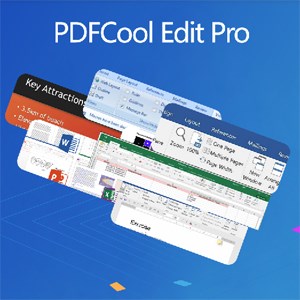
PDFCool Edit Pro is a Windows desktop application that enables users to edit PDF documents and convert them directly to Word, PowerPoint, or Excel formats. It supports OCR and integrates with Microsoft Office for enhanced editing capabilities.

PDFReader: View & Edit PDFs allows users to open, edit, and manage PDF documents on Android devices. It includes features like annotation, search, and file organization, catering to users who need portable document management.
Xodo is a comprehensive PDF reader and editor for Windows, offering tools for viewing, annotating, signing, converting, and compressing PDF documents. It is designed for users who need a robust solution for managing PDF workflows, including professionals and students.
