MoViPlayer is a next-generation video player for Windows that allows users to open and play multiple videos at the same time, automatically arranging them into a smart, space-efficient layout. Below are 15 video streaming & playback apps with similar functionality to MoViPlayer, matched by what each product actually does — not ranked or scored. Explore each to find the closest fit for your use case.

Multi-video Player is a Windows app that enables users to play up to four videos at the same time, with both unified and individual playback controls. It allows easy rearrangement of videos on the screen and supports muting, pausing, or hiding each video independently. Ideal for users who need to monitor or compare multiple videos simultaneously.

Video Player - Play All Videos is a free Windows application that supports playback of various video formats. It offers continuous playback, full control over speed, brightness, and volume, making it a reliable solution for users seeking a comprehensive media player.

All Video Player is a Windows desktop application that enables users to play a wide range of video and audio file formats in high quality. It is designed for seamless, reliable media playback for personal or business use.

Video Player - Movie Player is a Windows application that combines video playback, music listening, and basic video editing in one interface. It supports a wide range of formats and is designed for users who want an all-in-one media solution.

MOV Player for Windows is a multimedia player that supports HEVC, MP4, AVI, MOV, and other common video formats. It offers high-quality playback, a user-friendly interface, and does not require external codecs, making it ideal for users seeking a lightweight video player.

Mini Media Player is a Windows desktop application that allows users to watch videos from platforms like YouTube, Facebook, and Twitch in a compact picture-in-picture overlay. It supports drag-and-drop URLs, keyboard hotkeys, and fullscreen mode, making it easy to multitask while watching videos. The app is designed for users who want to keep videos visible while working on other tasks.

aiPlayer is a Windows desktop application for playing multiple local video files in a customizable grid layout. It supports various video formats and provides independent and global controls for efficient video comparison and monitoring.

Movie Player - Full Features is a media player for Windows that supports a wide range of video and audio formats. It offers high-quality playback, subtitle support, playlist management, and advanced audio/video controls, making it suitable for users who want a comprehensive media playback solution.

Gplayer is a Windows desktop application that allows users to play multiple videos in a customizable grid layout. It supports features like resizing grids, zooming, panning, and swapping video positions, making it ideal for video editors and users who need to monitor or compare several videos at once.

X Video Player is a Windows desktop application that supports playback of local and network video files in multiple formats. It offers playlist management, adjustable playback speed, and intuitive controls, making it suitable for users who need a versatile and easy-to-use video player.

mPlayer - Video Play and Web Player is a Windows desktop application for downloading and playing videos and music. It supports playlist management, floating popup window mode, and favorites, catering to users who want flexible video and music playback options.

Vivo Player is a Windows desktop media player optimized for fast streaming and advanced m3u playlist controls. It supports all screen resolutions, including 4K, and offers features like parental controls and favorites management for a flexible viewing experience.

Movie Player: Any Media Format is a Windows desktop application that supports a broad range of video and audio formats, customizable subtitles, frame-by-frame navigation, and advanced playback controls. It is suitable for both casual and professional users seeking a flexible media player.

Video Player - All in One is a Windows application that enables users to play a wide range of video and audio formats and convert files between formats. It offers simple controls and broad compatibility, making it suitable for anyone needing reliable media playback and conversion.
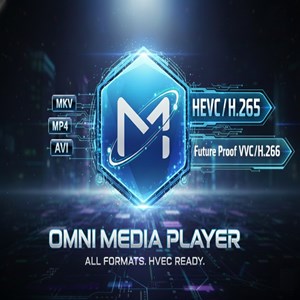
Omni Media Player is a Windows desktop application supporting over 60 video and audio formats, including next-gen codecs like VVC/H.266 and HEVC/H.265. It offers advanced playback controls, playlist management, and hardware acceleration for smooth media viewing.
