
MakePixel Alternatives
MakePixel is a collection of free online tools for creating pixel art from photographs or other images. Below are 14 design & creative apps with similar functionality to MakePixel, matched by what each product actually does — not ranked or scored. Explore each to find the closest fit for your use case.
- ImagePixelArtimagepixelart.com
ImagePixelArt is a web-based pixel art generator that allows users to convert photos into pixelated art instantly. It offers multiple pixel styles, real-time previews, and customizable parameters for creative flexibility. Ideal for game developers, artists, and anyone looking to create retro-style graphics or game sprites without advanced design tools.
 Image to Pixelimagetopixel.online
Image to Pixel is a browser-based tool that transforms photos into retro pixel art. It supports real-time previews, adjustable pixel sizes, and exports in PNG, JPEG, and WebP formats. The app works offline and is ideal for indie game developers, digital artists, and anyone seeking to create pixel art assets quickly.
- Image to Pixel Artimagetopixelart.online
Image To Pixel Art is a free online tool that allows users to upload images and convert them into pixel art. Users can adjust pixel size, brightness, contrast, and saturation, and export the results as PNG files. It is ideal for game developers and digital artists creating retro-style graphics.
- Pixel Art Makergoogle.com
Pixel Art Maker is an app for creating pixel art on Android devices. It offers drawing and editing tools, color palettes, and the ability to save creations, catering to digital artists and hobbyists interested in pixel-based artwork.
- Image Pixelatorimagepixelator.pics
Image Pixelator is a web-based tool that allows users to upload images and convert them into pixel art. It provides adjustable pixel sizes and downloadable results, making it useful for designers and creative projects seeking a retro or stylized look.
 Photo to Pixelphototopixel.art
Photo to Pixel is a free online tool that converts photos into pixel art using curated retro palettes or original colors. It processes images locally in the browser, supports PNG, JPG, and WebP formats, and offers features like aspect ratio control, grid overlays, and instant PNG export. No signup required.
 Pixel Art Villagepixelartvillage.org
Pixel Art Village is an online tool designed to convert images into pixel art directly within a web browser. It addresses the need for creators to transform standard images into retro-style graphics, sprites, or icons without requiring external software or downloads. The platform supports image uploads in PNG, JPG, GIF, and WEBP formats, allowing users to begin the conversion process by simply dragging and dropping or selecting a file. Key features include a live preview of the pixel art transformation, enabling users to compare the original and processed images side by side. Users can adjust palette settings, dithering, and image size to fine-tune the final result according to their preferences. The editor centralizes the entire workflow, from upload to export, streamlining the process for those seeking to create pixel art for various creative projects. Pixel Art Village operates entirely client-side, meaning all processing occurs within the user's browser. This approach ensures that images remain private and stay on the user's device unless intentionally shared. The service is free to use, with no requirements for account creation, credit card information, or download limits. It is accessible to a wide audience, including digital artists, designers, and anyone interested in generating pixel art from existing images. As a browser-based image-to-pixel-art converter, Pixel Art Village emphasizes simplicity, privacy, and accessibility, making it a practical choice for those looking to create pixel art efficiently online.
 Pixelate Image Onlinepixelateimage.co
PixelateImage.co is a browser-based tool that allows users to pixelate entire images or selected areas for privacy or artistic effect. It processes images locally, supports multiple formats, and enables instant downloads without uploading files to a server.
 PixelMaster - Arte Pixelapple.com
PixelMaster lets users pixelate images with customizable pixel shapes, scales, and sizes, supporting creative projects like digital art, social media graphics, and educational materials. It offers fast rendering and cross-platform compatibility for artists and designers.
 SpritePaintspritepaint.com
SpritePaint is a free online tool for creating and animating pixel art and sprites. It offers drawing tools, frame-by-frame animation, layer support, and export options for PNG, GIF, and sprite sheets, making it ideal for pixel artists and game developers who want to work directly in the browser.
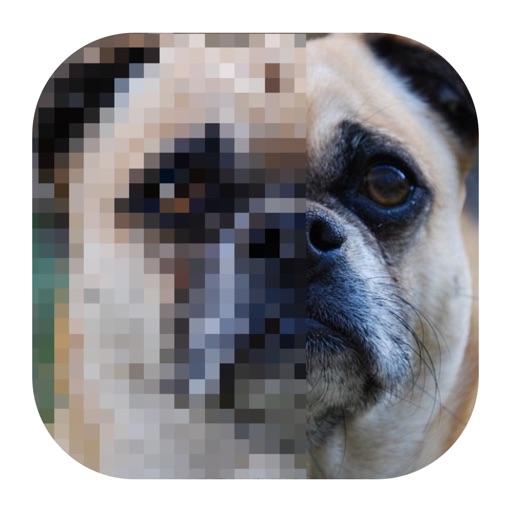 Image to Pixel Artapple.com
Image to Pixel Art is an iOS app that converts user images into pixel art, allowing customization of pixel size. It is designed for digital artists and hobbyists who want to create retro-style graphics from photos or artwork.
- PixelToolspixeltools.io
PixelTools is a collection of free, completely private online utilities for images, audio, and video. All processing runs locally in the browser with nothing uploaded to servers. Tools include compression, resizing, format conversion, background removal, upscaling, trimming, cropping, watermarking, and more. The service is designed for users who prioritize privacy and want fast, no-account media processing directly in their browser.
- BeadPatternbeadpattern.net
BeadPattern is a web-based tool that uses AI to generate bead patterns from user text prompts or photos. It provides printable templates, color codes, and an editor for Perler, Hama, and fuse bead designs, making it easy for crafters to create custom patterns.
- Pixel-Art.aipixel-art.ai
ai is an online AI-powered tool designed for generating pixel art. It caters to individuals interested in creating vibrant, pixel-perfect artwork, including game developers, graphic designers, and pixel art enthusiasts. The platform allows users to generate a wide range of pixel art images, as demonstrated by examples such as cosmic turtles, cityscapes at night, and side-scrolling level backgrounds. The service features a built-in pixel art studio that enables users to save all their creations privately and organize them with multiple canvases. Users can export their artwork to PNG format. The pixel art editor supports functions like copy and paste, layers, and brushes, facilitating precise editing and customization. ai offers AI inpainting, allowing users to select areas of an image, provide a prompt, and let the AI modify that section, with the option to apply the preferred result to the canvas. Users can blend AI-generated art with their own manual edits for greater creative control. ai is delivered as a web-based application, accessible online without the need for additional downloads. The platform also emphasizes privacy, stating that all creations are 100% private. Users can join a community on Discord for further engagement.
