GAP3 Coders Taxonomy Post Order is a WordPress plugin that enables users to reorder posts within any taxonomy term using a drag-and-drop interface. Below are 15 productivity & work apps with similar functionality to GAP3 Coders Taxonomy Post Order, matched by what each product actually does — not ranked or scored. Explore each to find the closest fit for your use case.

Sorted – Post & Taxonomy Reorder is a WordPress plugin that enables users to easily reorder posts, pages, and taxonomies using a drag-and-drop interface in the admin dashboard. It supports all registered post types and helps site owners customize content display order without coding.
WP Taxonomy Order is a WordPress plugin that allows users to reorder taxonomies and categories using a simple drag-and-drop interface. It supports custom taxonomies, child terms, and is compatible with WPML, streamlining content organization for site administrators.
Post Order Control is a WordPress plugin that provides a drag-and-drop interface for reordering posts, pages, and custom post types. It features a modern admin UI, taxonomy ordering, and REST API support for flexible content management.
Bracket Post Order is a WordPress plugin that enables users to reorder posts, pages, and custom post types using drag-and-drop functionality directly from the WordPress admin interface. It supports per-category sorting and integrates natively with WordPress admin screens.
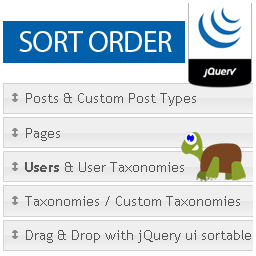
WP Sort Order is a free WordPress plugin that enables users to reorder posts, pages, users, and custom taxonomies using a drag-and-drop interface in the WordPress admin. It integrates with the WordPress dashboard, allowing site owners and administrators to easily customize the display order of content without coding. The plugin is suitable for anyone managing WordPress sites who needs flexible content arrangement.
Custom Posts Order is a WordPress plugin that enables users to reorder posts using a simple drag-and-drop interface. It supports shortcodes for custom display and allows grouping posts into sections, making content organization straightforward for site owners and editors.
Post Order Master is a free WordPress plugin that enables users to reorder posts, pages, and custom post types using a drag-and-drop interface. It helps site administrators organize content hierarchically and improve site structure.
Custom Category Post Order is a WordPress plugin that enables users to reorder posts within categories or custom post types using a drag-and-drop interface. It provides flexible content organization for bloggers, content managers, and site owners who want granular control over post display order.

Intuitive Custom Post Order is a WordPress plugin that allows administrators to reorder posts, pages, custom post types, and taxonomies using a simple drag-and-drop interface in the admin panel. It streamlines content organization for site managers.

Post Order Manager is a free WordPress plugin that enables site owners and admins to reorder posts and custom post types using a simple drag-and-drop interface in the WordPress admin. It supports real-time updates and works with both built-in and custom post types.

Reorder by Term is a WordPress plugin designed for developers to reorder custom post types within taxonomy terms. It uses custom fields for flexible ordering, avoiding custom tables and complex queries, and is intended as a developer tool for advanced site customization.
Atlassoft Post Type Reorder is a lightweight WordPress plugin that enables users to reorder posts and custom post types directly from the admin area using a drag-and-drop interface. It simplifies content management for site administrators and editors.

Whaze Term Order for Posts is a WordPress plugin that enables users to set custom order for taxonomy terms on a per-post basis from the Gutenberg editor. It includes admin settings, developer hooks, and REST API support, making it useful for site owners and developers needing granular taxonomy control.
Elephant Post Order is a WordPress plugin that allows administrators to reorder posts using a simple drag-and-drop interface in the admin panel. It updates the menu order instantly and can synchronize the order on the front end, streamlining content management for site owners.
Post Order By Category is a lightweight WordPress plugin that enables site owners to reorder posts within specific categories by published date, either ascending or descending. It integrates with the WordPress admin dashboard and is useful for journals, books, or archives needing chronological content display.
