
BankFileKit
BankFileKit is a set of browser-based tools for handling QuickBooks CSV, QBO, and OFX transaction files. It addresses the need to reformat bank exports or convert between these formats without sending sensitive financial data to external servers.
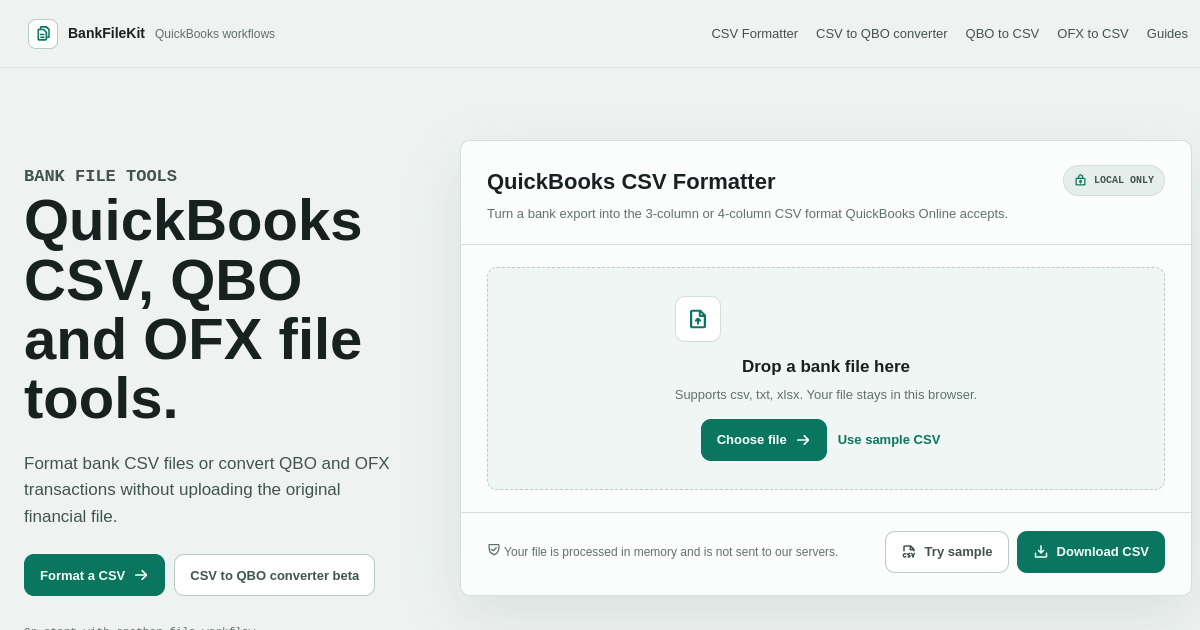
The service offers several specific workflows. The QuickBooks CSV Formatter maps a bank CSV, TXT, or XLSX file into the 3-column or 4-column format accepted by QuickBooks Online. The QBO to CSV tool reads a QBO Web Connect statement locally and exports an audit CSV that includes supported fields and metadata. A CSV to QBO converter, currently in beta, creates a candidate Web Connect file locally. An OFX to CSV extractor pulls supported data from OFX files. Each workflow displays the rows for preview before the user downloads the result.
All processing occurs entirely in the browser using local memory. Files are never uploaded to external servers, which the site emphasizes for data privacy. Users can begin by dropping a file onto the page, selecting a sample file, or choosing from the listed tools. The interface provides direct access to the formatter and the various converters through dedicated buttons.
BankFileKit is delivered as a web application that runs in any modern browser. It requires no signup or account creation. The page title and meta description confirm that the tools are intended for QuickBooks CSV, QBO, and OFX file operations performed locally.
FreeWeb
Overview
5 featuresIn the Productivity & Work space, BankFileKit takes a focused approach. It focuses on converting and formatting bank and accounting files for QuickBooks without uploading sensitive data to third-party servers. BankFileKit is a consumer product aimed at accountants and small business owners. It is available for free. It runs on the web.
Behind BankFileKit is BankFileKit. Key capabilities include CSV Formatter, QBO to CSV, and CSV to QBO.
Summary written by a language model from the project’s public pages.
- CSV Formatter
- QBO to CSV
- CSV to QBO
- OFX to CSV
- Local Processing
Tags
quickbooks-toolscsv-converterfinancial-file-utilslocal-only
Built with & integrations
Framework
Next.js
Hosting
Vercel
Runs on
Browser
Detected from
- Next.js
- x-nextjs-prerender header · /_next/static/ in the HTML · __next_f in the HTML
- Vercel
- x-vercel-id header · x-vercel-cache header
Trust & compliance
Verified signals
Indexing history
1What PulseGate has recorded for this listing
Frequently asked questions about BankFileKit
- What is BankFileKit?
- BankFileKit focuses on converting and formatting bank and accounting files for QuickBooks without uploading sensitive data to third-party servers. It is catalogued under Productivity & Work on PulseGate.
- Who is BankFileKit for?
- BankFileKit is a consumer product built for accountants and small business owners.
- Is BankFileKit free?
- Yes — BankFileKit is free to use.
- What platforms does BankFileKit run on?
- BankFileKit runs on the web.
- Is BankFileKit still maintained?
- Unverified. BankFileKit has not been re-checked since it entered the index, so there is no finding either way — and only a positive finding would say otherwise.
- Who makes BankFileKit?
- BankFileKit is developed by BankFileKit.
Similar apps
Closest matches by what these projects do