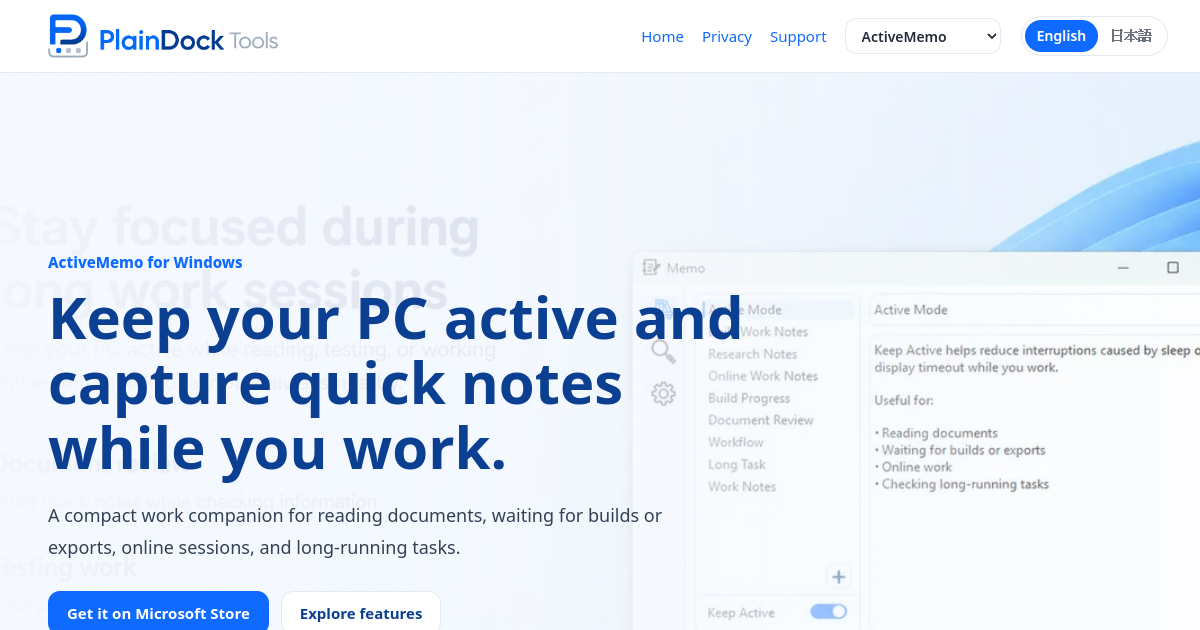
ActiveMemo is a lightweight Windows application designed to help users maintain productivity during focused PC work sessions. The tool addresses two common interruptions: unwanted system sleep or display timeouts, and the need to quickly jot down notes without disrupting workflow. It is positioned as a compact companion for tasks such as reading documents, waiting for builds or exports, participating in online sessions, and managing long-running processes.
One of the primary features of ActiveMemo is its "Keep Active" function, which helps prevent the PC from entering sleep mode or triggering display timeouts during periods of inactivity that may occur while monitoring documents, exports, builds, or extended tasks. This ensures that essential processes are not interrupted by automatic system behavior. Alongside this, ActiveMemo offers a simple local memo system where users can write checklists, reminders, task notes, and work details in a small window, avoiding the need to open larger, more resource-intensive note-taking applications.
The app includes features for searching across saved memos, copying text, importing, and exporting notes. Users can quickly find references, task details, or work notes when needed, and export existing memos to create backups outside the application. All memos are stored locally on the user's PC, emphasizing a local-first approach to privacy and data management. The interface is designed to remain compact and unobtrusive, allowing notes to stay accessible without interfering with primary work activities.
ActiveMemo is available through the Microsoft Store and offers a 7-day free trial that unlocks all features. After the trial period, continued access to creating, editing, saving, importing, the Keep Active function, and cross-note search requires an ActiveMemo Pro subscription. 99 per year, billed through the Microsoft Store. Even after the trial ends, users retain the ability to view, copy, and export existing memos without a subscription.
In the Productivity & Work space, ActiveMemo takes a focused approach. It focuses on preventing PC sleep interruptions and enabling quick note-taking during focused work sessions. It is built as a consumer product for knowledge workers and PC users. It runs on the web and Windows.
Plaindock Tools builds and maintains ActiveMemo. Key capabilities include keep awake, quick notes, and search notes. The interface is available in English and Japanese.
Latest indexed changes and source events
Other apps tracked under the same category.